Your work is the wash.
Your break is the dryer.

Tumbly turns a tiny round screen into a washing-machine window that times your focus. Every load belongs to a stranger, and every load leaves something behind in a pocket.

Install on your screen See a round
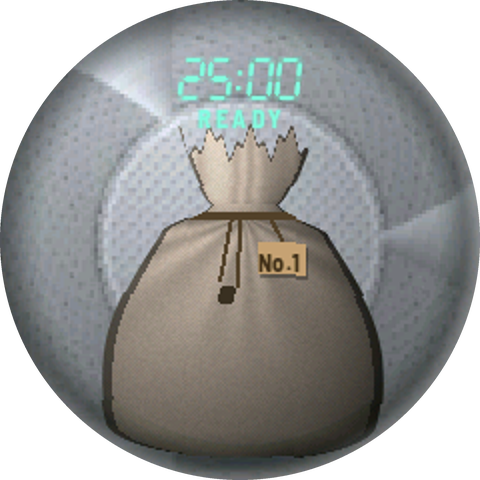
Tumbly's wash: clothes tumbling in soapy water behind the glass, the timer on a green display

One round, four beats

Everything here is the real firmware, rendered at the screen's own 240 pixels.

A linen laundry bag with a numbered tag
01 · DROP-OFFA bag shows up

A customer leaves a load. Tap to start, and the bag tips its clothes into the drum.

The wash cycle
02 · WASHYou focus

Fill, wash, rinse, spin. The clothes tumble, the water sloshes, the timer counts down.

The drum light comes on and the outfit is laid out with a ticket
03 · PICK-UPThe ticket

The drum light comes on, the outfit lays itself out and the pocket find drops in.

The warm dryer
04 · DRYERYou rest

A warm, slow dryer runs your break. Then the customer comes by and takes it home.

43 things people leave in pockets

Lottery tickets, love notes, a bandage, a ring. Twelve regulars, each with their own finds, plus a few nobody expects.

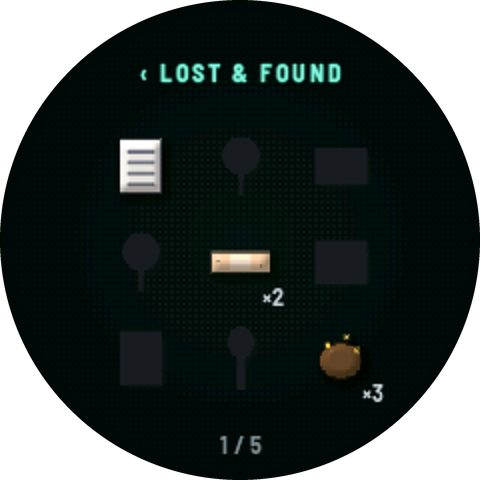
  • Lost & Found keeps every find, with how many times you've found it.
  • The customers book tracks who you've met and what they forgot.
  • A punch card on every ticket: the 10th wash always turns up a rare.
  • Small accidents: a red sock in the whites, a shirt that shrinks, too much soap, a phone that rings in the drum.
Lost and Found grid of finds
The customers ticket book
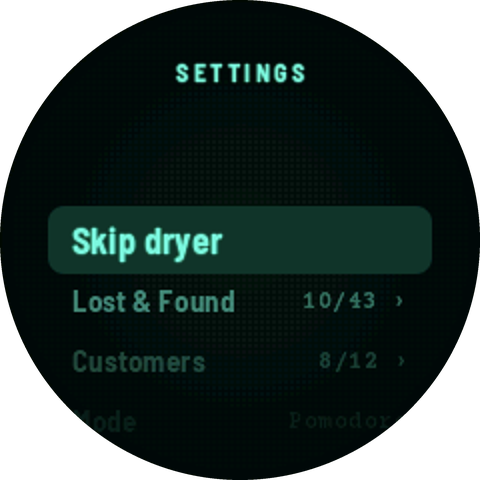
The green settings list
About screen

Hands on the glass

HOW TO TOUCH IT

TapKnock on the glass (wipes the foam too)
Tap the bagStart a wash
Double tapPause and resume
Drag aroundTurn the drum by hand (idle or paused)
HoldSettings; hold again to go back

Settings: Pomodoro or clock mode, focus 15 to 60 minutes, break and long break, auto start, brightness.

Install it from this page

For the ESP32-2424S012C (ESP32-C3 with the 1.28" round touch screen). Chrome or Edge on a computer, or Chrome on Android with a USB-C to USB-C data cable. No apps.

Firmware: loading...
COMPUTER

Plug the screen in, tap Install, pick the "USB JTAG/serial" port.

ANDROID

Use Chrome, not an in-app browser. Plug in with a data cable, tap Install and allow the USB device.

STUCK?

Hold the BOOT button on the back while plugging in, then tap Install again.

Changes